01Before
Snapshot every original price
SaleGuard records price and compare-at price for each affected variant before the first change is written.
Promotion controlShopify price editor
Schedule flash sales after SaleGuard saves every original price. Preview the exact change, run it in your store timezone, and restore from the snapshot when the promotion is over.
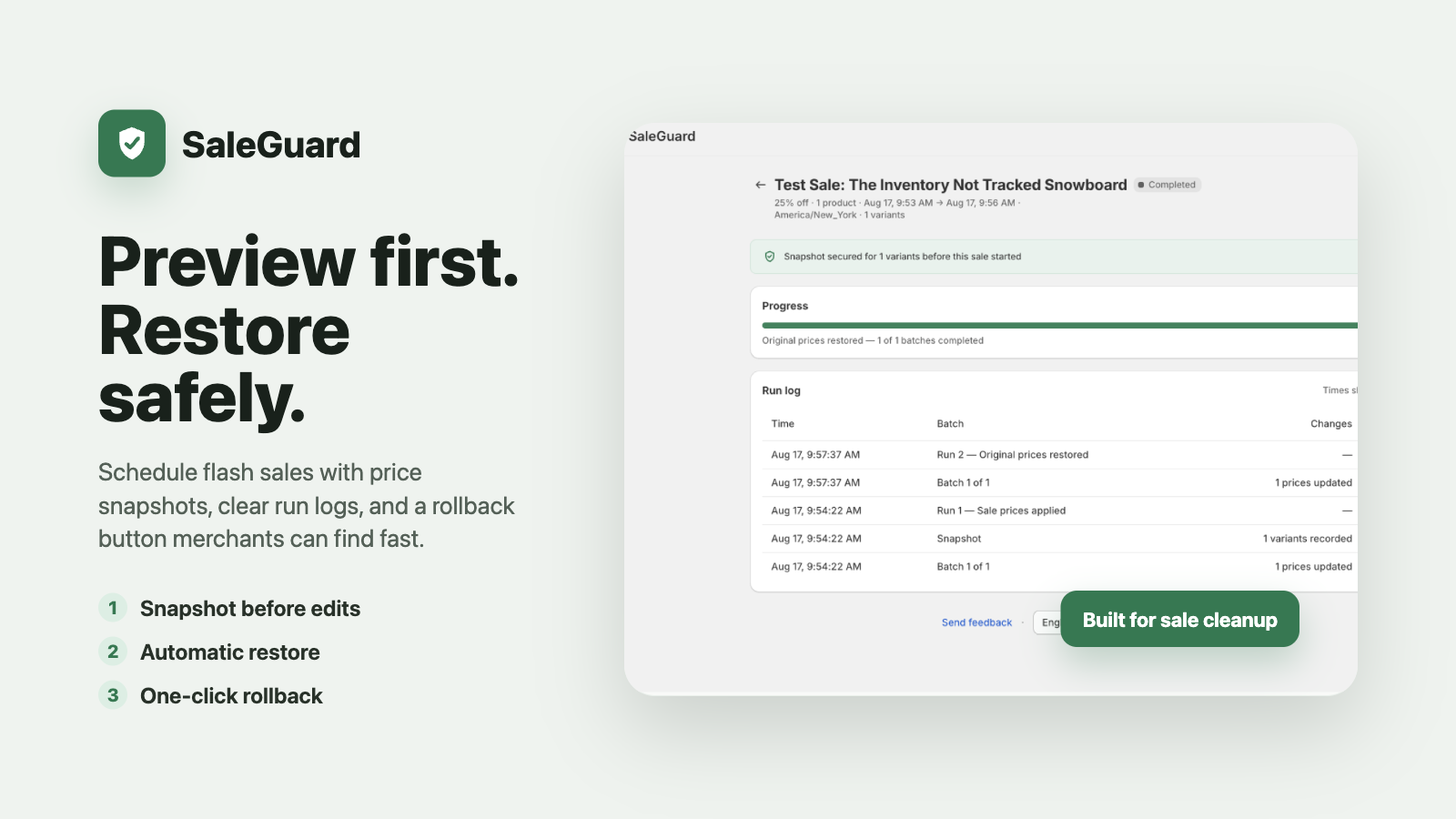
SaleGuard records price and compare-at price for each affected variant before the first change is written.
Run a dry preview, schedule in your store timezone, and follow batch progress from one place.
At the end time, original values are copied back. A manual rollback remains available when plans change.
01 / WHY SALEGUARD
Starting a discount is the easy part. The real operational risk appears at the end: incomplete batches, forgotten variants, or no trustworthy record of the original values.
Original prices become a spreadsheet guess.
Variant-level snapshotsA large sale finishes in uneven batches.
Progress, retries, and run logsThe campaign changes after prices are live.
One rollback actionQuota disappears before the restore run.
Restore is never metered02 / THE WORKFLOW
Build the sale, review the dry run, and keep the restore evidence on the same timeline.
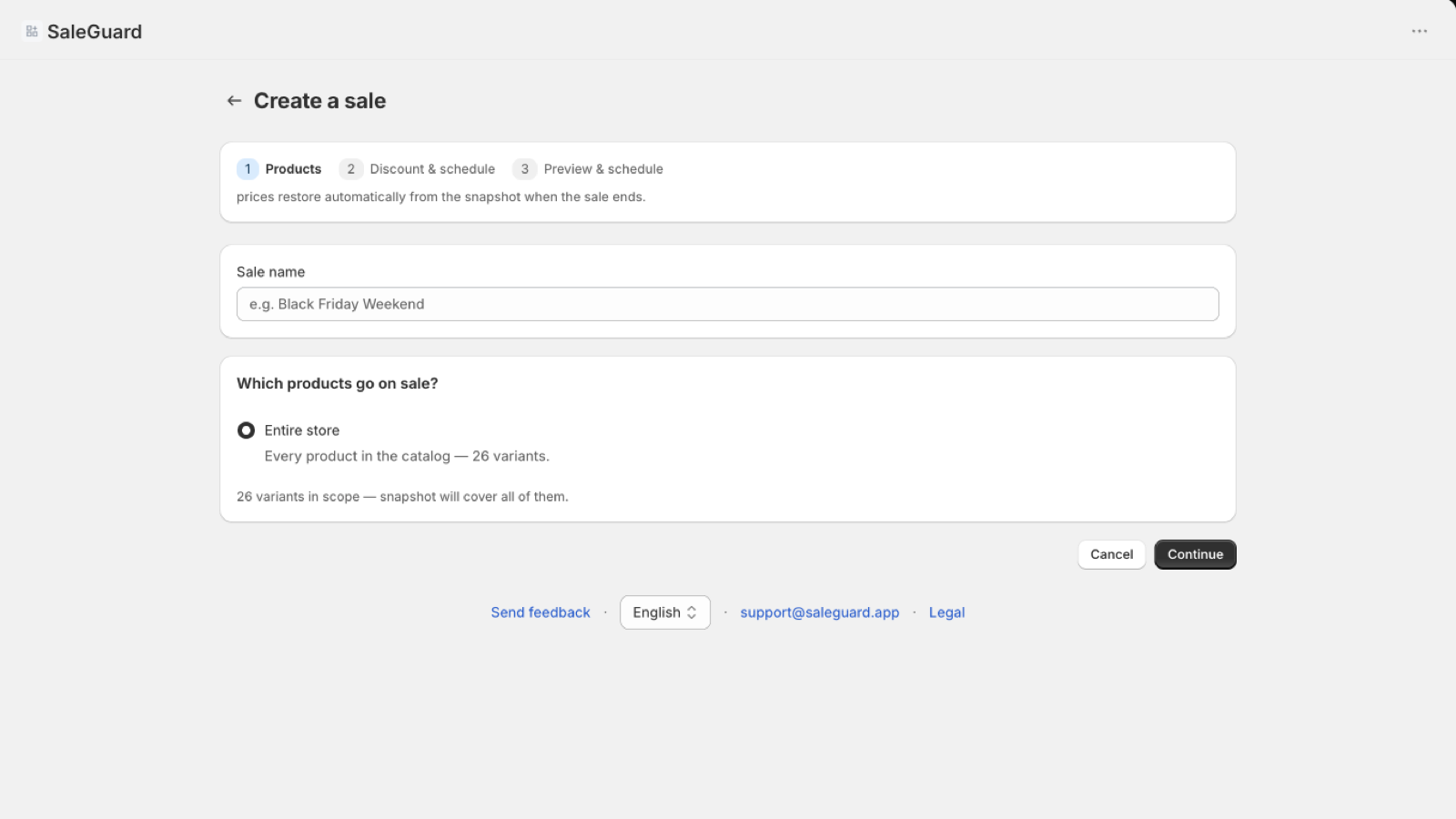
Target a collection, a product tag, or the whole store. The preview shows the affected variants before a price run exists.
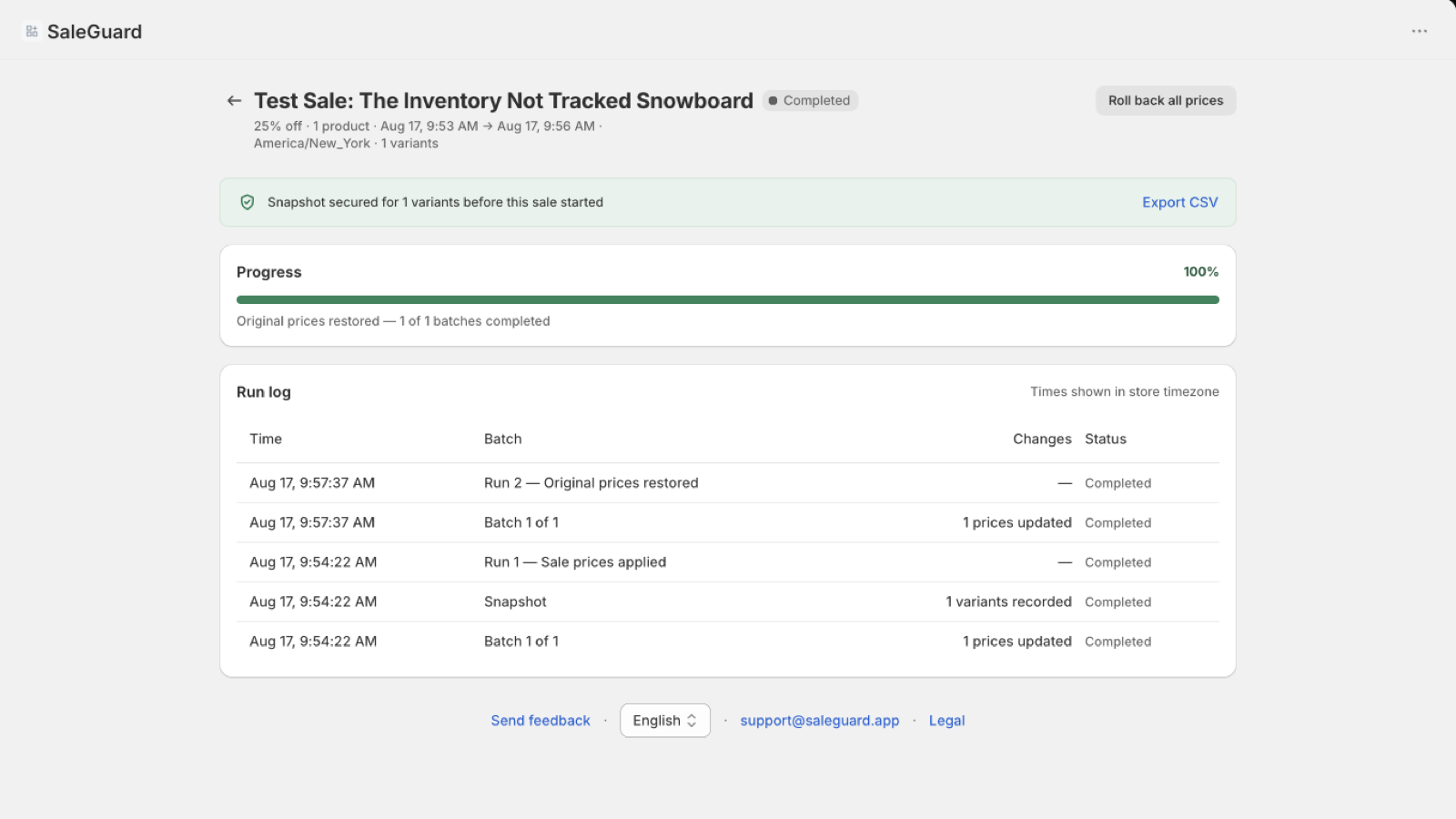
The sale detail records the snapshot, batches, and restore state. If the campaign changes, rollback uses the same saved originals.
03 / CONTROL SURFACE
Every plan includes the recovery path. Paid plans increase volume and operating convenience rather than putting restore behind a paywall.
Review current price, sale price, restore value, compare-at behavior, and estimated run time before scheduling.
Price and compare-at price are saved per variant before SaleGuard starts editing your catalog.
The restore run reads the saved snapshot instead of trying to reconstruct what the old price might have been.
Use one rollback action to return a running promotion to the values captured before it started.
Export the snapshot as a CSV so the original values remain visible and portable outside the app.
SaleGuard edits prices through Shopify APIs and does not inject scripts or liquid into your storefront theme.
04 / PRICING
Free
Free plan
No card required
Snapshot, restore, and rollback remain available on every plan.
Starter
7-day free trial
$8.33/mo when billed $99.90 annually
Snapshot, restore, and rollback remain available on every plan.
Pro
7-day free trial
$16.66/mo when billed $199.90 annually
Snapshot, restore, and rollback remain available on every plan.
Premium
7-day free trial
$33.33/mo when billed $399.90 annually
Snapshot, restore, and rollback remain available on every plan.
05 / FAQ
Need a store-specific answer? Email support@saleguard.app.
Yes. Quota counts successful sale-price writes when a sale is created. Restore and rollback do not consume that quota and remain available on every plan.
One successful sale-price write to one product variant counts as one change. Restoring that variant later does not count as another monthly change.
No theme code is installed. SaleGuard changes catalog prices through Shopify APIs, so there is no storefront script, app block, or theme snippet to load.
Yes on Starter and higher plans. You choose the behavior for each sale, and SaleGuard snapshots the previous compare-at value so it can be restored afterward.
They run in controlled batches under Shopify API limits. The dry-run preview estimates the duration before you schedule, and the sale detail page reports progress.
Shopify handles approval and billing for paid plans. Charges appear through your Shopify billing account; SaleGuard does not collect or store your card details.
Billing begins on the plan you approved unless you cancel or move back to Free. Existing snapshots remain available, and restore and rollback are not removed.
OPEN SALEGUARD
Enter your permanent Shopify domain. New stores continue through Shopify authorization; existing stores return to the app.